Don’t Let a Few Hundred Yuan in Cables Ruin a Tens-of-Thousands-Yuan Graphics Card: The Ultimate Guide to Avoiding Pitfalls with GPU Power Cables
For DIY PC builders, graphic designers, and esports enthusiasts, flagship graphics cards like the RTX 4090 and RTX 5090—which cost tens of thousands of yuan—are the core of performance and cherished investments. However, many people fall into a critical trap during assembly—prioritizing the graphics card over other components, particularly neglecting the selection of GPU power cables. Keep in mind that a single low-quality power cable costing just a few hundred yuan can, at best, cause the graphics card to underperform or experience frequent black screens and crashes; at worst, it can directly burn out the graphics card’s connectors or damage the core chip, rendering a ten-thousand-yuan investment completely wasted. Today, this comprehensive guide to avoiding pitfalls with GPU power cables will help you steer clear of all potential hazards, safeguard your graphics card, and ensure your high-end hardware performs to its full potential.
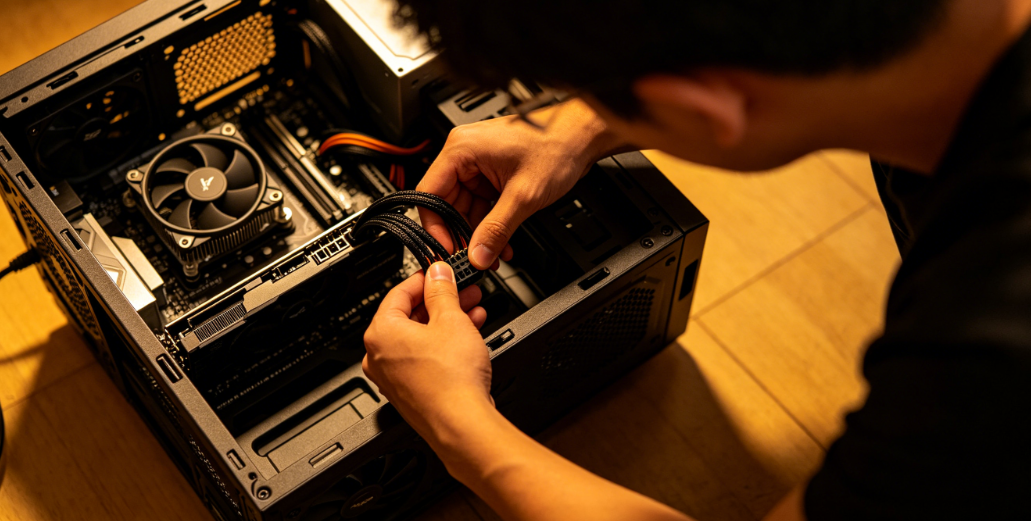
Understanding the Basics: Why Are GPU Power Cables the “Lifeline” of a Graphics Card?
Many gamers believe that “all cables are the same—as long as they supply power, they’re fine.” This mindset is completely wrong. With the widespread adoption of the 12VHPWR interface in the RTX 40/50 series, flagship graphics cards now have peak power consumption approaching 600W, with current reaching up to 50A under full load—raising the bar for power supply stability to new heights. As the “energy transmission channel” between the graphics card and the power supply, GPU power cables directly determine the stability and safety of the power supply. Their importance is no less than that of the graphics card’s core components.
The Core Truth: The “Quality” of the Cables Directly Determines the “Life or Death” of the Graphics Card
High-quality GPU power cables use high-grade pure copper cores and high-temperature-resistant insulation, with tight connector contacts. They enable stable, low-loss power transmission, preventing damage to the graphics card’s power supply modules caused by current fluctuations or localized overheating; In contrast, substandard cables feature insufficient copper core diameter, inferior materials, and poorly crafted connectors. Under prolonged high-load operation, these cables suffer from increased resistance and severe overheating. At best, this leads to frequent GPU throttling and black screens; at worst, it causes connector burnout and even damages the GPU core itself. Recently, users on Reddit reported that four RTX 5090 graphics cards were burned out within 48 hours due to cable or connector issues, with several cases involving the use of substandard adapter cables.
Avoiding Pitfalls: Understand 2 Core Concepts to Avoid Being Misled by Merchants
Before selecting a cable, clarify these two key concepts to avoid being misled by merchants’ marketing rhetoric. This is the foundation for avoiding pitfalls when choosing GPU power cables:
Simply put, power supply’s native cables are directly connected to the internal power delivery circuit of the PSU. Their copper core and insulation specifications are designed based on the PSU’s total power output, resulting in lower power ripple. Graphics card bundled cables are mostly adapters that consolidate power from multiple 8-pin connectors into a single 12VHPWR output. Although they undergo manufacturer compatibility testing, the multi-connector design increases resistance and poses a slight risk of overheating.
Key Pitfalls to Avoid: 4 Major Red Flags That 90% of People Have Fallen Into
Based on recent GPU burnout cases and industry research, we’ve identified four major pitfalls in selecting and using GPU power cables—each of which could cost you tens of thousands of yuan. You must avoid them at all costs.
Pitfall 1: Cutting Corners by Buying “No-Name Cables”—Lowest Cost, Highest Risk
This is the most common and most dangerous pitfall. Many gamers, in an effort to save a few dozen or a few hundred yuan, opt for cheap, unbranded GPU power cables, unaware that these cables are riddled with hidden dangers: the copper cores are made of low-quality scrap copper, the wire gauge is undersized, and conductivity is poor—leading to severe overheating during prolonged use; the insulation material is substandard, with weak heat resistance and wear resistance, making it prone to aging and damage, which can cause short circuits; the connectors have not undergone rigorous testing, resulting in poor contact and a high likelihood of sparking and oxidation.
Reminder: Even for entry-level graphics cards, we do not recommend using unbranded cables; for flagship graphics cards costing tens of thousands of yuan, be sure to choose branded cables—even if it costs a few hundred yuan more, it provides effective protection for the graphics card. Qualified brand-name cables on the market, such as those from SeaSonic and Corsair, are slightly more expensive but use 16 AWG tinned pure copper conductors and high-current alloy copper terminals, effectively preventing overheating and oxidation issues.
Pitfall 2: Haphazardly Choosing Adapter Cables and Ignoring the Priority of “Native Connectors”
With the widespread adoption of the 12VHPWR connector, many older power supplies lack a native 12VHPWR port, requiring an adapter cable to connect to the graphics card. This often leads to the problem of “randomly choosing adapter cables”: for example, using a standard 8-pin to 12VHPWR adapter or a third-party, unbranded adapter. These adapters often haven’t undergone rigorous compatibility testing, resulting in excessive resistance and insufficient current-carrying capacity, which can easily burn out the graphics card’s connector with prolonged use.
Best Practice: Prioritize using the power supply’s native 12VHPWR cables. If the power supply lacks a native connector, use only the adapter cable included with the graphics card; the use of third-party, unbranded adapters is strictly prohibited. According to industry research, graphics card brands such as ASUS, MSI, and Gigabyte explicitly recommend using the original cables included with the graphics card. Meanwhile, SilverStone and Zotac advocate using native cables if a native interface is available, while brands like Sapphire take a more flexible approach, allowing users to choose based on their specific setup.
Pitfall 3: Ignoring “Cable Specifications,” Mismatching Graphics Card Power Requirements
Graphics cards with different power requirements have varying specifications for GPU power cables. Many users overlook this and choose a cable at random, leading to insufficient power supply or overloading. For example, flagship graphics cards with a power draw of 350W or higher (such as the RTX 4080 and RTX 5090) require cables capable of handling high current. If cables designed for mid-range cards are used, long-term operation at full load will cause the cables to overheat and the graphics card to throttle; Conversely, for mid-range graphics cards with a power consumption of <350W, using cables with excessively high specifications poses no risk but results in unnecessary waste.
Key Determinant: 350W is the critical threshold for graphics card power consumption. For mid-range graphics cards with power consumption <350W, both types of cables can be used normally; choose based on installation convenience. For flagship graphics cards with power consumption ≥350W, it is strongly recommended to use the power supply’s native cables, as their short power delivery path reduces heat generation and avoids the risk of oxidation associated with multi-connector designs in adapter cables. Additionally, thicker cables offer better conductivity; we recommend selecting pure copper cables with a gauge of 16 AWG or higher.
Pitfall 4: Improper Installation and Use Can Waste Even the Best Cables
Often, it is not the cables themselves that are at fault, but rather inadequate installation and usage details that lead to graphics card damage. Common mistakes include: connectors not fully seated, resulting in poor contact and localized overheating; bending the cable at angles exceeding 90 degrees—especially at the connector joints—which can cause internal copper core fractures or damage to the insulation; positioning the cable near high-temperature components such as the CPU cooler or GPU exhaust vents, which accelerates insulation aging; and frequent plugging and unplugging, which leads to connector wear and oxidation.
Correct Procedure: Ensure you hear a “click” when plugging in the cable to confirm the connector is fully locked; keep cable bends within 90 degrees, and prioritize cables with 90-degree L-shaped connectors to reduce bending stress; route cables away from high-temperature components to maintain airflow; minimize the number of times cables are plugged in and out, and handle them gently to avoid damaging the connectors.
Practical Guide: How to Choose GPU Power Cables for Different Scenarios?
Based on GPU power consumption, power supply type, and usage scenarios, we’ve compiled precise cable selection solutions. Simply match your setup to the corresponding scenario—no more guesswork.
Scenario 1: New Build with an ATX 3.0/3.1 Power Supply (Featuring a Native 12VHPWR Connector)
Prioritize using the power supply’s native 12VHPWR cables; no adapters are needed. These cables draw power directly from the power supply’s internal 12V bus, resulting in lower power ripple. This reduces the load on the graphics card’s power delivery modules, ensuring more stable performance during long-term high-load operation. This setup is particularly suitable for flagship graphics cards like the RTX 4070 Ti and above. We recommend selecting cables that support the PCIe 5.0 standard to meet the graphics card’s peak power requirements and avoid power supply shortages.
Scenario 2: Older Power Supply (No Native 12VHPWR Connector) with a New Graphics Card
You must use the adapter cable included with the graphics card; purchasing third-party adapter cables is strictly prohibited. Most older power supplies were manufactured before 2022 and feature only traditional 8-pin or 6-pin connectors. The adapter cables included with the graphics card have been specifically tested by the manufacturer; their wire gauge and insulation materials are tailored to the power requirements of the corresponding graphics card, effectively preventing the risk of burnout caused by parameter mismatches. Additionally, ensure the power supply’s total wattage is sufficient to avoid issues with the cables resulting from an underpowered unit.
Scenario 3: Mid-range Graphics Cards (Power Consumption < 350W), Prioritizing Cost-Effectiveness and Convenience
Depending on installation convenience, choose between the graphics card’s included cable and the power supply’s native cable (if the power supply has a native connector). These graphics cards have relatively lower requirements for power supply stability; both types of cables can function normally. There is no need to excessively pursue high-specification cables; instead, focus on the cable brand and connector contact quality, and avoid choosing no-name cables.
Scenario 4: Vertically Mounted Graphics Cards, Prioritizing Case Aesthetics
Prioritize GPU power cables with 90-degree L-shaped connectors. These connectors protrude only about 1.8 cm above the GPU header, providing more cable management space. This resolves the issue where extra-wide GPUs using adapters prevent the side panel from closing, while also preventing excessive cable bending and reducing the risk of poor contact or burnout. Brands like SeaSonic offer 90-degree 12V-2×6 cables with one-piece molded connectors, ensuring greater durability and safety.
Key Pitfalls to Avoid—Just Remember These 3 Points
With graphics cards costing tens of thousands of yuan, there’s no room for carelessness. Avoiding pitfalls with GPU power cables essentially boils down to two core principles: “choosing the right ones” and “using them correctly.” Here are three key points to help you quickly avoid all pitfalls and keep your graphics card safe:
· Don’t skimp on quality: Regardless of the graphics card’s tier, never buy generic GPU power cables. Prioritize branded cables and use the original ones; only use adapters that come with the graphics card.
· Match specifications: Select cables based on the graphics card’s power consumption. For flagship cards (≥350W), prioritize native 12VHPWR cables with a gauge of 16 AWG or higher to avoid specification mismatches;
· Use properly: During installation, ensure connectors are fully seated. Avoid excessive bending of cables or placing them near high-temperature components. Minimize the number of times you plug and unplug them, and regularly inspect the condition of the cables and connectors. Replace them immediately if you notice oxidation or damage.
Final Reminder: Although GPU power cables are just a small component in a PC build, they are the graphics card’s “lifeline.” Don’t let a few hundred yuan in cost-cutting ruin an investment of tens of thousands. Choosing a high-quality GPU power cable not only ensures stable graphics card operation but also extends its lifespan, allowing your high-end hardware to deliver its full potential.


评论
发表评论